
Have you ever deleted all your pictures, videos, and apps, yet your phone still says "Storage Full" or keeps hanging? Don’t worry! Let me show you one simple solution that works.
Before I explain, let me tell you something surprising.
Did you know that every app you’ve uninstalled from your phone since the day you started using it is still hidden on your phone? Yes, those apps didn’t disappear completely! They’re taking up space secretly. That’s why your phone storage stays full even after deleting files.

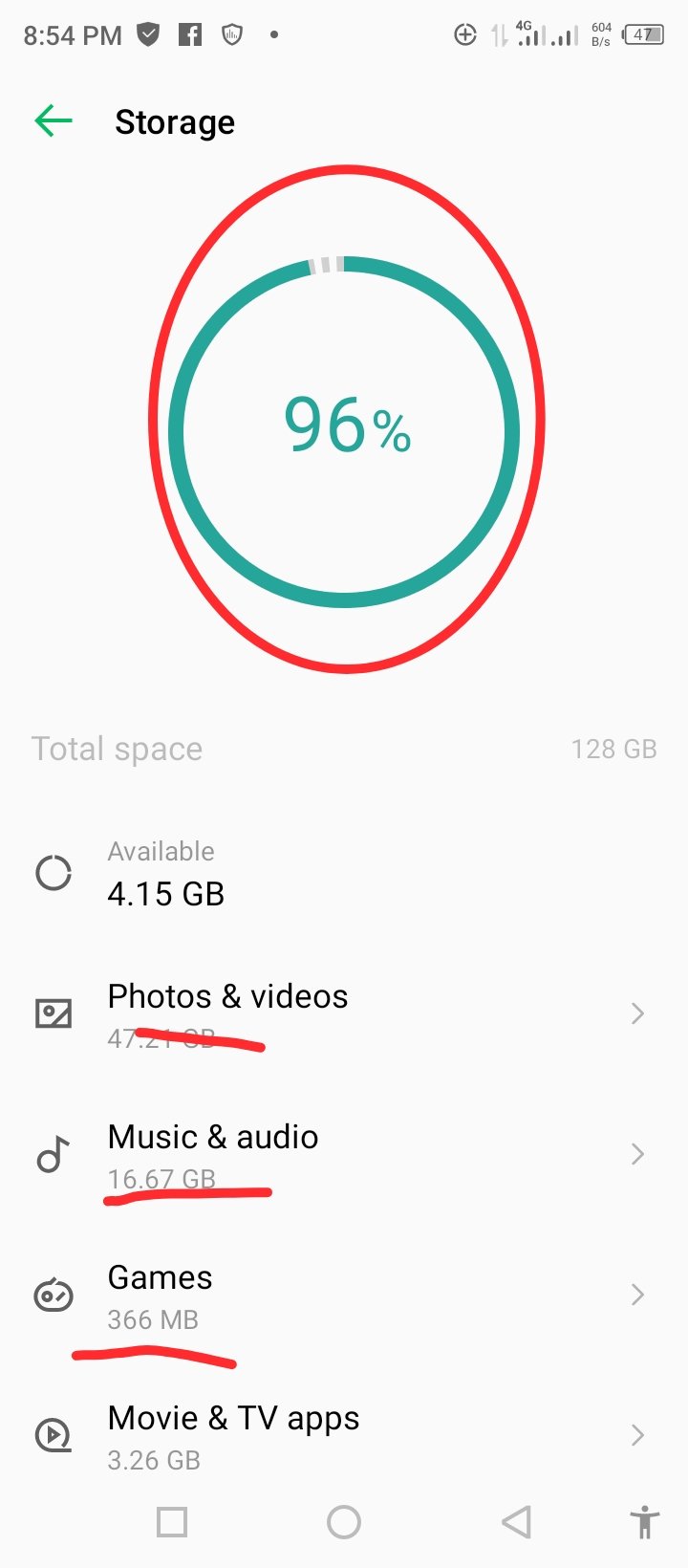

But here’s the good news: I discovered a way to clear them, and it worked perfectly for me! Now, I want to show you how to do it step by step. If you follow the guide, you’ll free up a lot of space and make your phone work faster again.
To make it super easy for you, I’ve created a simple step by step video guide on how to do it and include pictures that explain everything. Just carefully watch the video and follow the image staps
Image Instructions Steps
Step 1
Open the Play Store
app
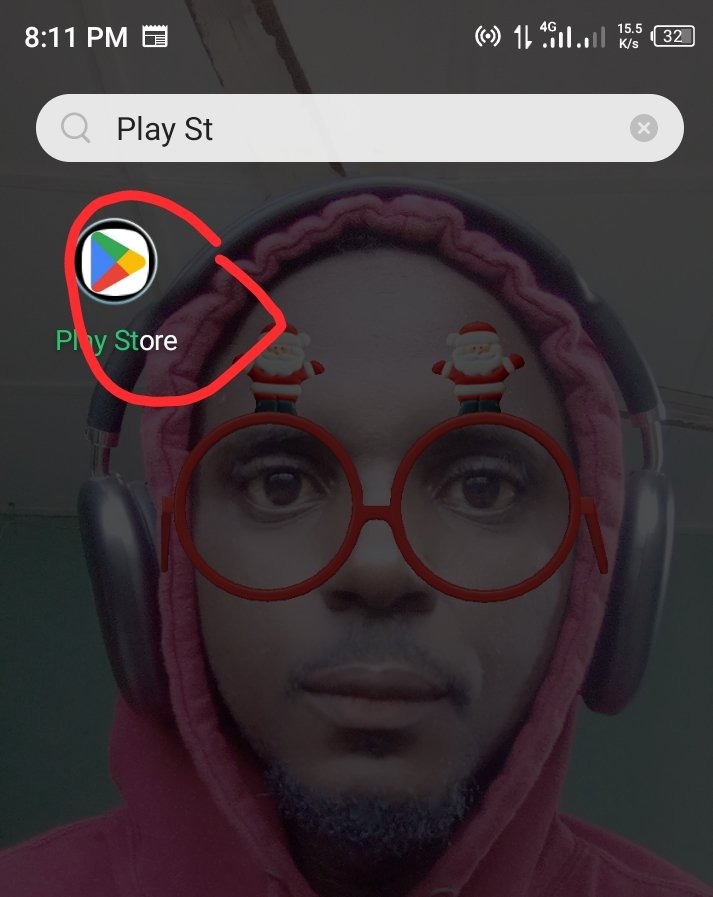
Step 2
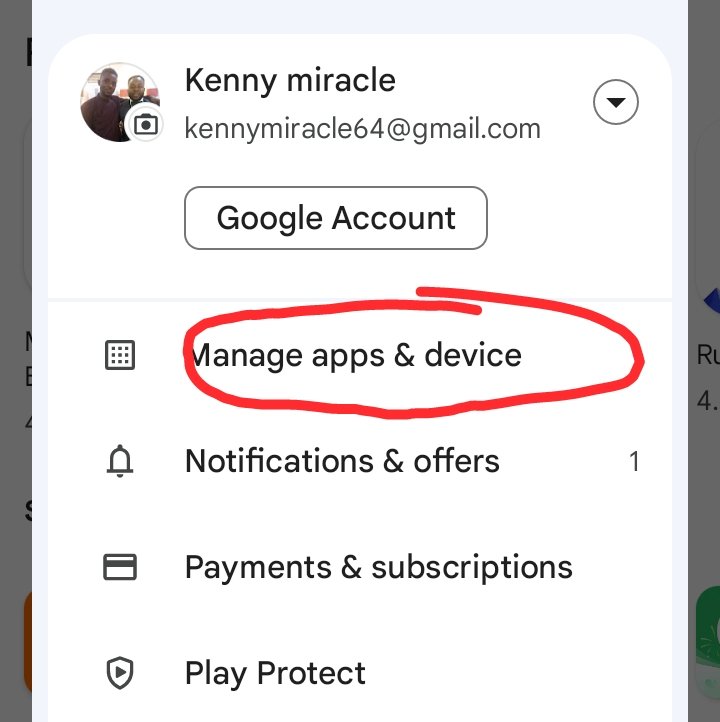
Tap your profile picture
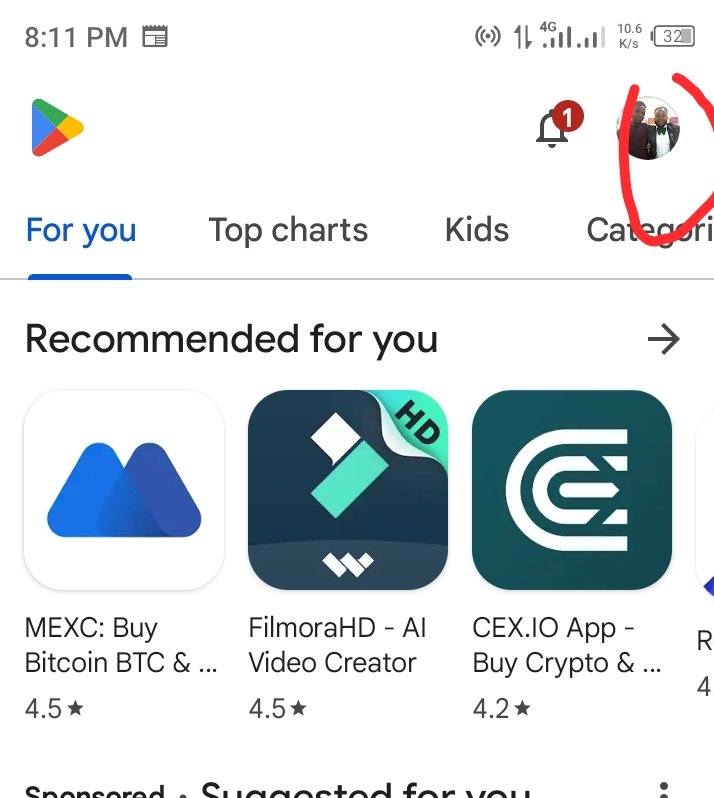
Step 3
Click "Manage apps and device"
Step 4
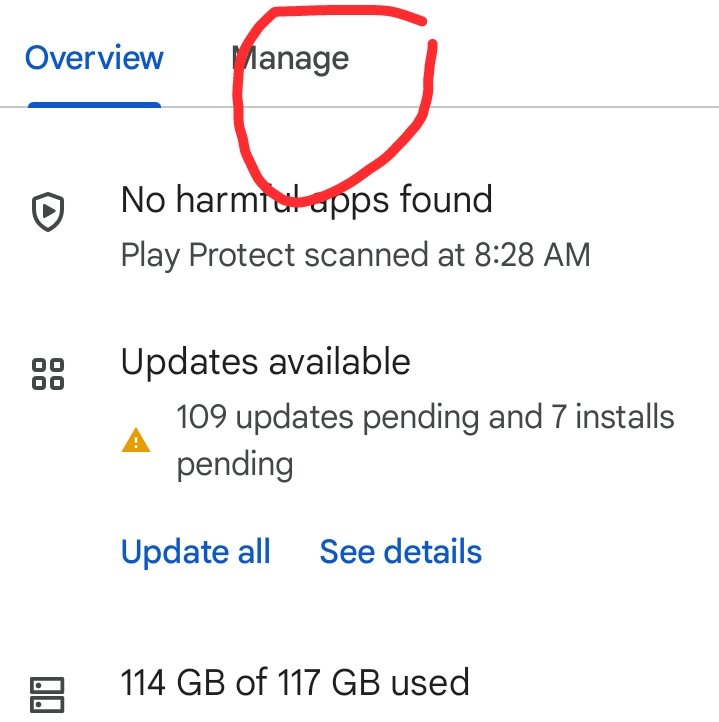
Click "Manage"

Step 5
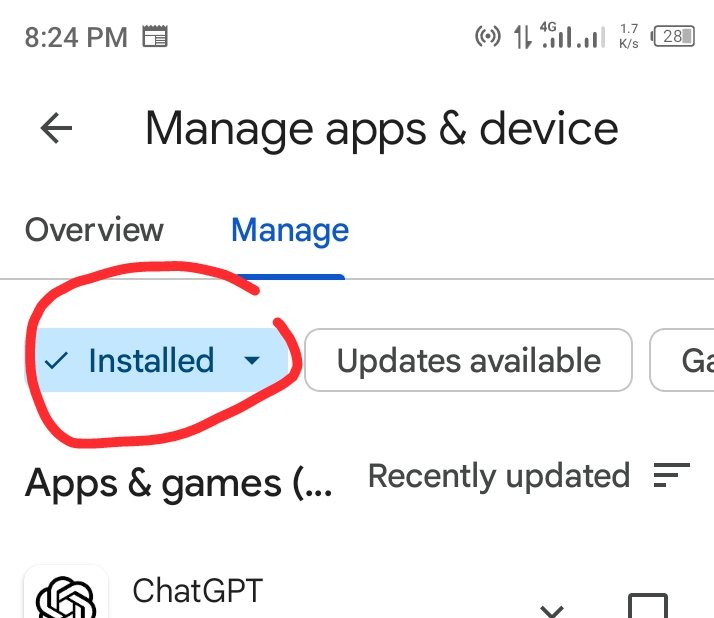
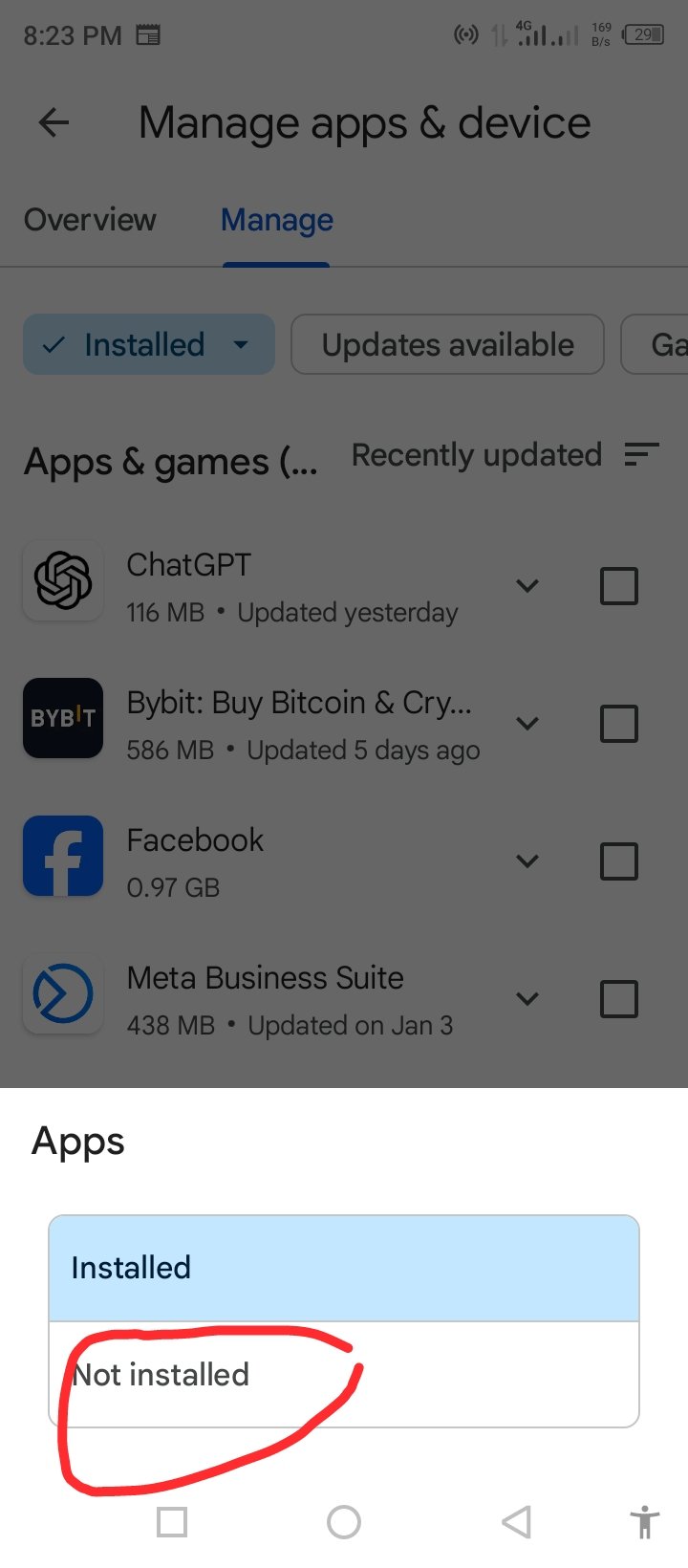
Click on "Installed",and select "Not Installed"
👇👇👇👇
**Selet not installed **
Step 6
Mark and select "Delete"
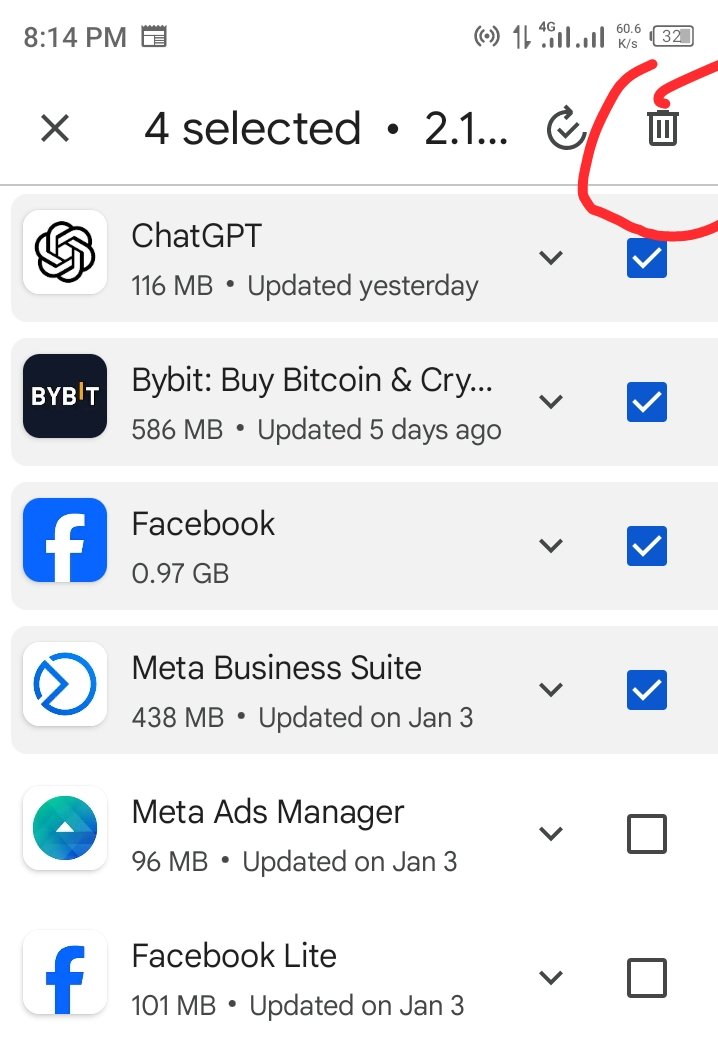
MOST IMPORTANTLY WATCH THE REST STEPS IN THE VIDEO BELOW NOW
If this helps you, don’t forget to share it with your friends,


4 comments
Congratulations @kennymiracle! You have completed the following achievement on the Hive blockchain And have been rewarded with New badge(s)
Your next payout target is 250 HP.
The unit is Hive Power equivalent because post and comment rewards can be split into HP and HBD
You can view your badges on your board and compare yourself to others in the Ranking
If you no longer want to receive notifications, reply to this comment with the word
STOPThanks for this.. very helpful
!MEME
Posted using MemeHive
Credit: orionvk
Earn Crypto for your Memes @ HiveMe.me!