
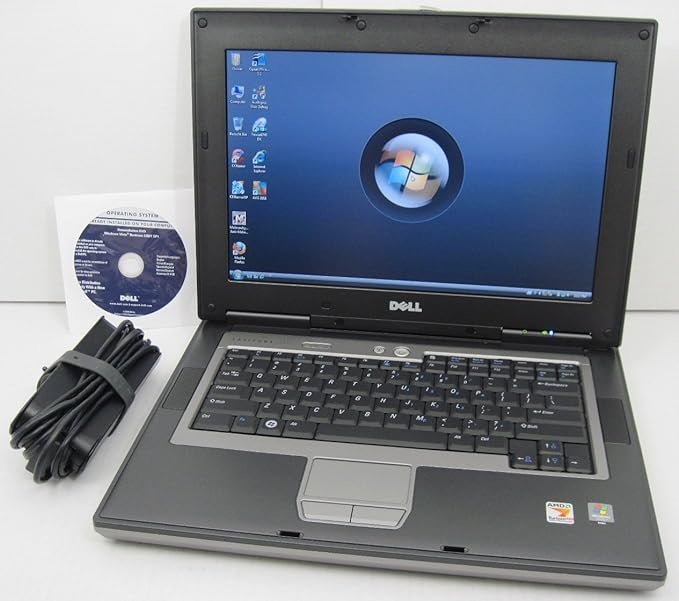
The Dell Latitude D531 is an AMD based laptop. The Latitude was Dell's business line of computers. The vast majority, even at this time, were Intel based.

Basic stats include:
- CPU: AMD Turion
- RAM: 3 GB
For more complete specs, check out the output from HardInfo.

AMD based laptops at the time tended to be lower end units. The reason being that AMD processors were slower than their contemporary Intel counterparts and less power efficient. The advantage in this case is that you got a bargain priced machine with the build quality of a typical Latitude.
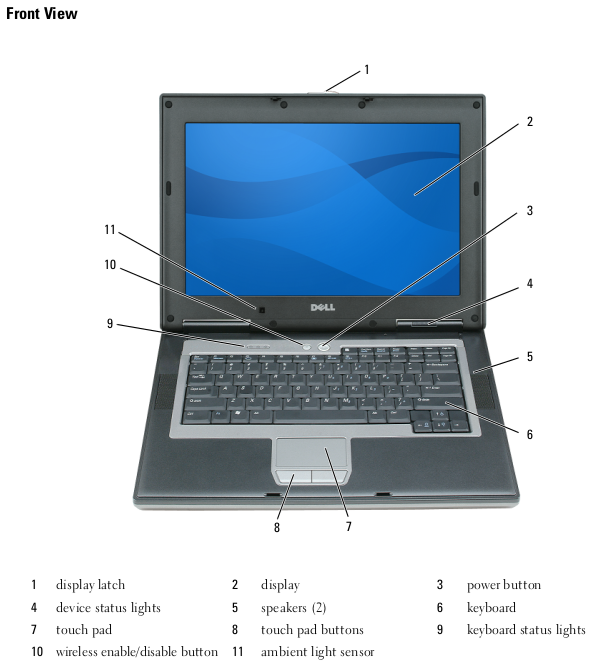
In addition, despite the AMD options being slower, this wasn't necessarily noticeable if the machine was being used for basic office tasks, which many Latitude's probably would be. However, the extra battery life of a Core 2 Duo based machine would be an advantage if you were often using your laptop for extended periods disconnected from an AC outlet.

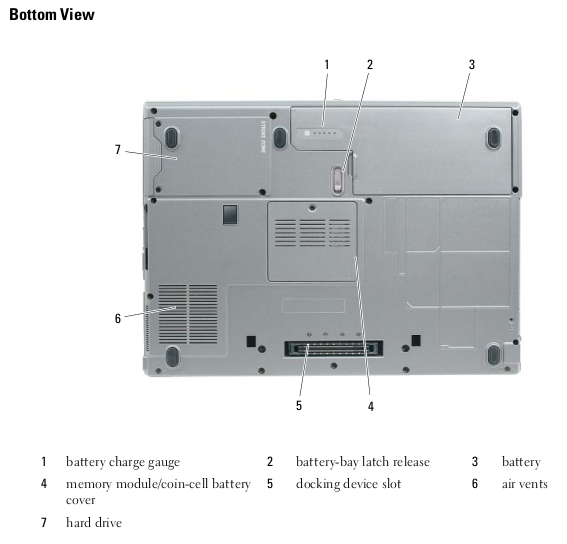
There's not a significant amount of upgrade potential with this laptop. The current 3GB of RAM can be upgraded to a maximum of 4GB. Like most older laptops, upgrading to an SSD would probably be one of the best upgrades you could do.
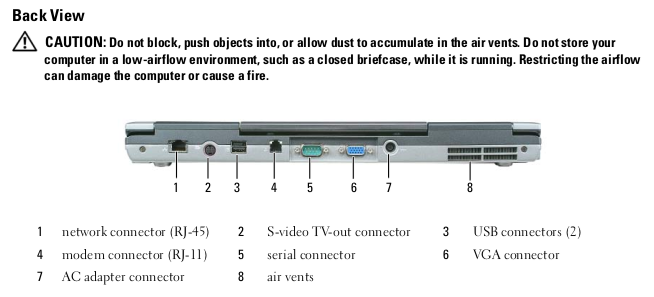
Though this laptop can technically run Windows 10, it won't perform very well especially given the maximum limit of 4 GB of RAM. Windows XP should be lightning fast on this machine and Windows 7 should run reasonably well. Linux will run OK as well. Currently, I'm running Xubuntu on this machine.
Like all machines I use, this one has BOINC installed and crunches various tasks when it is on. It is still capably of crunching tasks for all of the projects I normally participate in including Einstein@home, Milkyway@home, Asteroids@home, Universe@home, Rosetta@home, and World Community Grid. You can see how it is doing overall at FreeDC.
Read more: https://www.megalextoria.com/wordpress/index.php/2026/05/01/digital-archaeology-dell-latitude-d531/

1 comments
@darth-azrael, I'm refunding 0.104 HIVE and 0.000 HBD, because there are no comments to reward.